

A billion-page study found that 96.55% of web pages get zero organic traffic from Google. Zero. Not a trickle — nothing. Most guides read this as a publishing problem: write more, rank more. That’s half the story. Organic traffic in 2026 is a two-front job. You build new visibility through smart keyword targeting and technical fixes, and you defend the rankings you already have from the slow bleed of content decay. Skip the defense side and even your best new page quietly slides off page one inside a year. Below are 8 strategies, ranked, each backed by current data.
WordPattern is the tool built for the defense side. It watches every article you’ve published, catches the ones starting to slip in Google, and tells your team exactly which paragraphs to fix. More on that in strategy 6.
1. Find the Keywords Your Competitors Are Ignoring
Short-tail keywords are a different sport. “SEO tips” and “content marketing” belong to billion-dollar domains with more backlinks than you’ll ever build. You’re not outranking Moz for those.
Long-tail is where mid-size sites win. Research shows 91.8% of all searches are long-tail queries, and they convert at 2.5 times the rate of short-tail terms. Someone searching “how to reduce bounce rate on product pages for ecommerce” is far closer to acting than someone who types “bounce rate.”
But volume and length aren’t enough on their own. You have to read what the searcher actually wants. Group your target queries by the job behind them: is the person trying to learn something (informational), or are they ready to buy or sign up (transactional)? “What is content decay” wants an explainer. “Content decay tool” wants a product page. Point the wrong page type at a query and it won’t hold the ranking, no matter how good the writing is.
Finding the gaps is simpler than it sounds. Open Google Search Console, go to the Queries report, sort by impressions, and look for searches where you already show up but barely get clicks — position 8 to 20 with decent volume. That’s a page with traction and room to grow.
For net-new ideas, run a keyword gap analysis against your closest competitors in Ahrefs or Semrush. Look for 3–5 word phrases with monthly searches under 1,000. That’s where a site without 200 backlinks can rank.
One rule: don’t build a thin page for every keyword. Cluster related terms into one strong piece. Five long-tail keywords all circling “email list building for SaaS” should feed one guide, not five half-baked posts.
2. Fix the Technical Issues Holding Your Rankings Back
Good content on a slow, broken site doesn’t rank. Full stop.
As of late 2025, only 54.6% of websites meet Google’s Core Web Vitals thresholds. Run a PageSpeed Insights audit, then work the “Opportunities” list — convert images to WebP, cut render-blocking JavaScript, add a CDN. While you’re in there, check mobile: over 92% of users reach the web on a phone, and Google reads your mobile version first.
Then hunt down broken links. Dead internal links waste the ranking power you’re trying to build, and broken outbound links read as a neglected page. Crawl the site, find the 404s, fix or redirect them. It’s unglamorous and it moves the needle.
Structured data is the quiet win. Sites using schema markup see 35% higher click-through on average, yet only 28% have added it — Article, FAQ, or HowTo schema can lift CTR without touching your rank.
3. Write for Search Intent, Not Just Keywords
You can rank for a keyword and still lose. If your page doesn’t match why people searched, they bounce in seconds, and Google notices.
About 70% of all searches are informational. People want to learn. Aim a hard product pitch at an informational query and you’ve misread the room.
The fix: before you write, check what’s already ranking. If page one is how-to guides, write a how-to guide. If it’s comparisons, compare. The SERP hands you the format.
On-page basics still count. Title tags between 40 and 60 characters get the highest click-through in organic results. Your meta description should state a clear benefit in second person. Headers should answer real questions, not just restack keyword variants.
And the first 100 words carry weight. Google uses them to work out what your page covers. Bury the point under three paragraphs of setup and you’re making the algorithm work harder than it needs to.
4. Build Topical Authority with Content Clusters
Ten loosely related posts on random subtopics don’t build authority. Ten tightly connected posts around one pillar do.
The model: a big pillar page anchors the topic. Six to eight shorter cluster pieces cover the subtopics. Every cluster links back to the pillar, and the pillar links out to each cluster. Google reads the whole structure and credits your site with authority for that topic.
The way you connect those pages matters as much as the pages themselves. Internal links pass ranking power around your site — a well-placed link from a strong page hands some of that strength to a weaker one that needs it. Link your cluster posts to each other and up to the pillar with plain, descriptive anchor text, and you help Google (and readers) see how the pieces fit. In our own experience running refreshes, tightening internal links is one of the faster ways to lift a page that’s stuck just off the first page.
This matters because Google grades how well you cover a topic, not just how one page ranks. AI systems building Overview answers work the same way.
There’s a compounding effect. Sites in higher positions gain 5–14.5% more referring domains per month just from ranking, which pushes them higher still. A strong cluster feeds that flywheel.
If you want a clear view of your coverage gaps, WordPattern’s Topical Authority Builder maps your existing content against competitor coverage and shows exactly which cluster topics you’re missing.

5. Earn Backlinks That Actually Move Rankings
Backlinks remain one of Google’s top three ranking factors. The #1 result has, on average, 3.8 times more backlinks than positions 2 through 10. Good writing alone won’t close that gap.
Here’s what most link-building guides skip: 97.8% of all content earns zero or one backlink. Your content is probably in that group.
What earns links in 2026? Original data. Strong opinions backed by evidence. Free tools. Research that doesn’t already exist. A “9 tips” list gets ignored. A study that says “we analyzed 1,000 product pages and here’s what drove conversions” gets linked. The pattern is simple: give people a number or a resource they can’t get anywhere else, and they’ll cite you to back their own arguments.
Before you chase new links, do the math on what you already have. A quick backlink audit in Ahrefs tells you which of your pages already earn links, which of those links have gone dead, and where a competitor is pulling links from a source you could reach too. If you’re promoting salesforce implementation services, reclaiming a broken link pointing at your old URL is faster than earning a new one from scratch.
Tactics that still work:
- Digital PR: pitch data-driven stories to journalists in your niche
- HARO / Connectively: answer expert source requests for contextual links
- Broken link building: find resource pages pointing at dead URLs, pitch yours as the replacement
- Guest posts: worth it on genuinely relevant sites; skip the “write for us” farms
Quality over volume. One link from a high-authority domain beats twenty from low-quality directories.
6. Stop Your Rankings From Bleeding: The Content Decay Problem
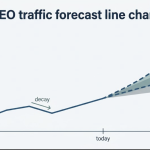
Here’s the number most content teams haven’t absorbed: the average site loses 20–30% of organic clicks every six months — not from a penalty, not from bad content, just from pages getting old.
Competitors publish fresher versions. Your stats age out. A post that ranked #2 in 2024 quietly slides to #9 by mid-2026. It happens gradually, so nobody notices until the traffic’s already gone.
The business case is clear
HubSpot found 76% of their monthly blog views come from older posts, not new ones. And refreshing old blog posts with updated data and better structure can raise organic traffic by up to 146%, per Backlinko’s 2025 analysis. That’s a higher return per hour than writing most new articles.
A good refresh is concrete work:
Swap every stat older than 18 months for current data, add sections for subtopics competitors now cover, update the title and meta for the current year and intent, add FAQ or HowTo schema if the content supports it, and tighten the intro (old posts almost always ramble at the top, which hurts dwell time).
The catch is scale:
Most teams check GSC every few months by hand and only spot decay once it’s serious. Running that across hundreds of articles takes more time than any content team has.
That’s what WordPattern does for you
Connect it to your Google Search Console and it watches every article for real decline patterns, then flags the page before it crashes. It reads the page paragraph by paragraph to find the exact sections dragging your ranking down, and drafts a targeted refresh your team approves or edits. Clients have seen 22% recovery in lost organic traffic within the first 60 days. Past 50 articles, checking by hand just isn’t competitive.
There’s also the AI-answer shift to plan for, and it’s tied to the same defense work. In Q1 2026, 25.11% of Google searches triggered an AI Overview, based on nearly 22 million queries. When one shows up, organic CTR drops from 1.62% to 0.61% — roughly a 60% cut in clicks for that query.
Panicking doesn’t help:
Getting cited does, and traffic from an AI citation tends to convert better because the visitor arrives already informed. A few concrete moves raise your odds: write 2–4 sentence answer paragraphs that respond to one clear question, since those are the easiest for an AI system to lift cleanly. Add FAQ and HowTo schema so your content is machine-readable in the format these systems prefer. Keep your stats specific and sourced. And keep building genuine authority — 52% of sources cited in AI Overviews rank in the top 10, so topical depth is still the reliable way in. Gartner predicts organic traffic could drop 50% or more by 2028 as AI search scales, so the sites building this visibility now, while the window’s open, are the ones that compound later.
Our guide on what content decay is and how to fix it covers the full lifecycle, from the warning signs in GSC to the refresh actions that recover rankings.

7. Use Google Search Console Like a Roadmap
Most site owners open Google Search Console when something breaks. That’s not what it’s for.
GSC shows every query you rank for, your impressions, your CTR, your average position. That’s a roadmap. Use it like one.
Three moves that pay off:
Find high-impression, low-CTR pages. Sort by impressions, then look for pages with thousands of impressions and CTR under 2%. That’s a title and meta problem. Test new versions. Moving up one position in Google lifts CTR by 32.3% — improving your listing is free traffic.
Target position 5–20 pages. A page at position 8 gets maybe 3–4% of the clicks the top result pulls. These are your biggest upside. Improve the content quality and relevance of these specifically.
Watch the Coverage report. Pages marked “Discovered, currently not indexed” mean Google saw your content and passed. Fix the signals — thin content, duplicate titles, slow load — and resubmit.
Not sure where to start? Look at what outdated statistics are doing to your rankings. Stale data is one of the most common reasons a high-impression page loses CTR.
Organic search still drives 53% of all website traffic — more than paid, social, and direct combined. The channel isn’t dying. It just rewards a different kind of attention than it did three years ago.
The teams winning in 2026 do two things most don’t: they chase the long-tail gaps competitors skip, and they run steady refresh cycles to protect the rankings they already own. Start with your GSC data. Find three pages losing ground this month. Fix the content. That’s week one
Frequently Asked Questions (FAQs)
Most sites see movement in 3–6 months from technical and on-page fixes. Refreshes often move faster — 4–8 weeks — because the page already has indexing history and authority. Net-new content on competitive terms usually takes 6–12 months.
Refreshing usually returns more per hour. Old posts already carry authority, backlinks, and indexing history, so a targeted update recovers and compounds that. A practical split: 60% refreshes, 40% net-new.
When an AI Overview appears, organic CTR drops roughly 60% for that query. The fix is getting cited inside the Overview, which tracks closely with domain authority, structured data, and clear answer-format content.
Content decay is the slow ranking loss that hits a page as it ages relative to fresher competitors. The average site loses 20–30% of organic clicks every six months to it, with no penalty involved. Catch it by watching GSC for pages whose impressions or position are trending down month over month — or let a tool monitor that for you across your whole library.
You may also like: