

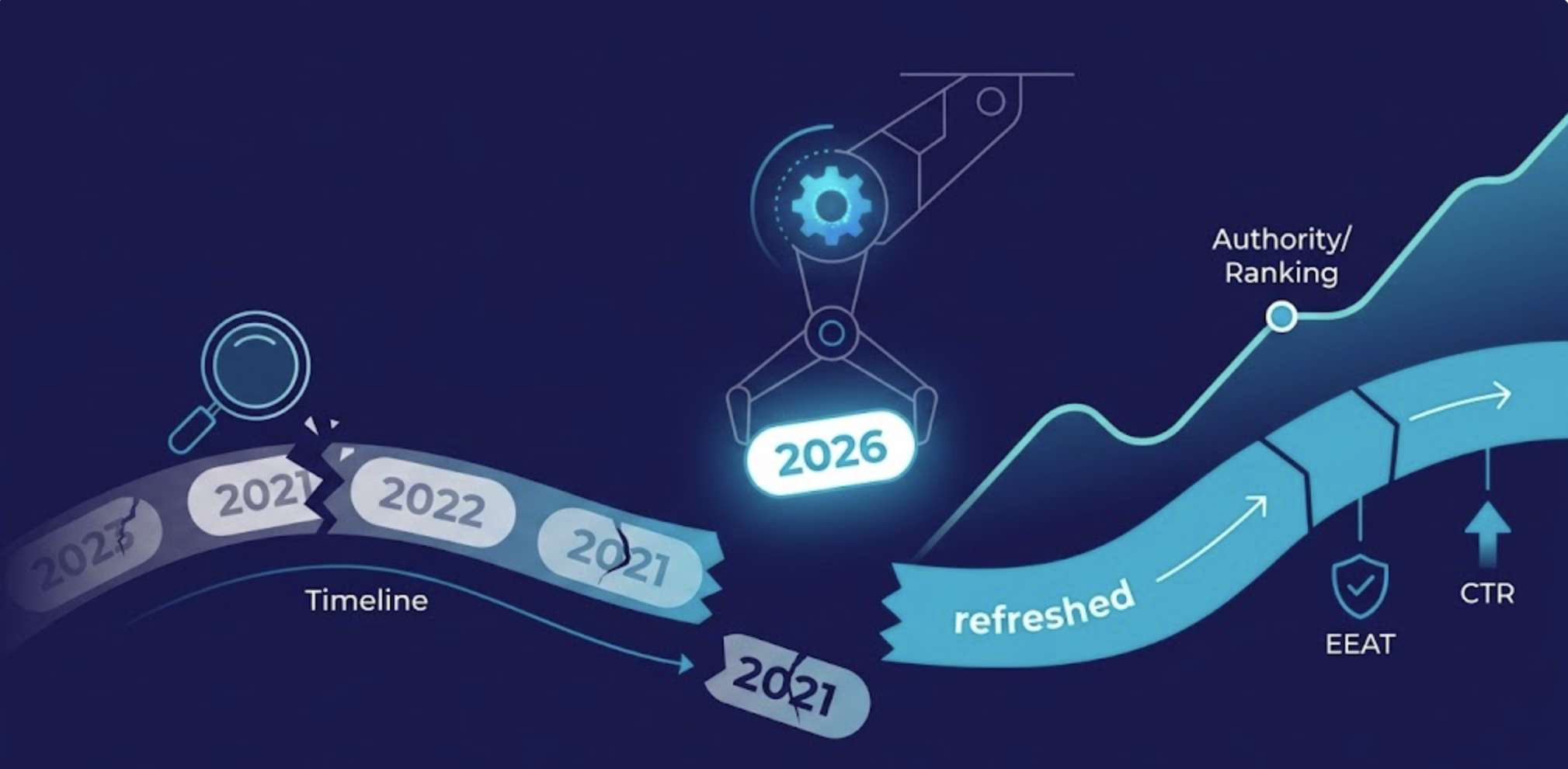
Success in SEO isn’t just about what you publish today; it’s about how well you maintain what you published yesterday. Many site owners notice a mysterious drop in rankings for their best-performing articles. This phenomenon is known as content decay, and it is often driven by one specific culprit: outdated data.
When your blog posts rely on “expired” statistics, you aren’t just losing the interest of your readers; you are signaling to search engines that your information is no longer relevant.
In this guide, we will explore how to combat content decay by identifying and replacing old data points to restore your search engine authority.
Why Content Decay Happens (And Why It Matters)?
Content decay is the steady decline in organic traffic and keyword rankings for a piece of content that was once successful. While there are many factors, like new competitors or shifting search intent, the “Freshness Factor” is a major pillar of Google’s ranking algorithm.
If your article on Remote Work Trends is still citing a 2021 study, Google’s crawlers will eventually prioritize a competitor who is citing 2025 or 2026 data. Outdated stats increase your bounce rate, lower your E-E-A-T (Experience, Expertise, Authoritativeness, and Trustworthiness), and accelerate the content decay process.
The AI Visibility Angle: Why Fresh Data Now Fights Two Ranking Battles?
Here’s what most stats-refresh guides don’t tell you: outdated data no longer just hurts your Google rankings. It now costs you citations from AI systems too and that’s a separate traffic channel that’s growing fast.
- Research from Qwairy found that half of all AI-cited content is less than 13 weeks old, which means your content’s “freshness window” for showing up in ChatGPT, Perplexity, or Google’s AI Overviews is measured in weeks, not years. A study analyzing LLM log data found that nearly 65% of all AI traffic hits went to content published within the past year, and 79% targeted content from the last two years. If your article cites a 2022 report, it’s sitting in the 6% of content that AI systems almost never touch. FraseSeer Interactive
- The numbers on the Google side are sobering too. Organic search still drives close to 47% of all web traffic, which means every click lost to decay is a direct business loss – not a vanity metric problem. But the traditional decay signal is deceptive: the most common pattern is a year-over-year click drop with flat or stable impressions, which makes teams think nothing is wrong when CTR is actually eroding, often pushed down by AI Overviews, People Also Ask boxes, and ads. PrometixaiPrometixai
- What does this mean practically? Updating a stale stat isn’t just about accuracy anymore – it’s about remaining citable across two discovery channels simultaneously. According to Digitaloft research, 76.4% of ChatGPT’s most-cited pages were updated in the last 30 days, and URLs cited in AI results are 25.7% fresher on average than those ranking in traditional organic search. That gap is structural, not random. When AI systems use Retrieval-Augmented Generation (RAG) to answer queries, recency is heavily weighted as a relevance signal at the retrieval stage – before your content even gets considered for citation. OnelyDiscovered Labs
- One more thing worth knowing: pages focused on statistics and quantitative claims earn 40% higher citation rates than regular blog posts. So a stats refresh isn’t just defensive maintenance. Done right with specific numbers, named sources, and a visible “Last Updated” date — it actively makes your content more likely to be pulled into an AI-generated answer. Gartner projects that search query volume will drop 25% by 2026 as more users shift to AI assistants. The sites that keep their data current are the ones that will hold visibility across both channels as that shift plays out.
How to Identify Pages Suffering from Content Decay?
Before you can fix the data, you have to find the decaying pages. You don’t need expensive tools for this; Google Search Console (GSC) is your best friend.
- Compare Time Periods: In GSC, compare your performance from the last 3 months to the previous 3 months.
- Filter for Declining CTR: Look for pages where impressions are steady, but clicks and click-through rates (CTR) are dropping. This often means your title looks “old” in the search results.
- Spot “Year-Specific” Rankings: Look for keywords you rank for that include a year (e.g., “Best SEO tools 2024”). If we are now in 2026, that page is a prime candidate for content decay.
The Step-by-Step Stats Refresh Workflow
Once you’ve identified a post hit by content decay, follow this workflow to modernize it:
1. Audit the “Anchor” Data
Scan your post for any sentences that start with “According to a [Year] study…” or “As of [Year]…” These are your anchors. If the data is more than two years old, it is likely expired.
2. Search for “Information Gain”
Don’t just find the 2026 version of the same stat. Look for new insights that didn’t exist when you first wrote the post. Adding unique perspectives or more recent survey results provides “information gain,” which Google highly rewards.
3. Update Visuals and Alt-Text
If your post features a chart or infographic with old data, it needs to be replaced. Not only does this help the reader, but it allows you to update the image metadata and alt-text, giving you a fresh chance to rank in Google Image Search.
4. Optimize the “Last Updated” Date
To signal to both users and search engines that you have fought off content decay, update the “Published Date” to a “Last Updated” date in your CMS. This often results in an immediate boost in CTR on the SERPs.
Automating Freshness: Using AI and GSC for Proactive Maintenance
Manually checking hundreds of posts for content decay is a bottleneck. To scale your “Refresh Your Stats” strategy, you can leverage automation to identify slippage before it becomes a disaster.
- The “Decay Signal” Script:
- Use a Python script or an AI SEO agent to connect to the Google Search Console API.
- Set a trigger that alerts your team whenever a high-volume URL drops more than 10% in CTR or average position over a 30-day period.
- AI-Assisted Data Extraction:
- Instead of manual Googling, use AI tools to scan your top-performing articles for any date-specific phrases (e.g., “In 2023…” or “Latest data from…”).
- This creates a “Freshness Backlog” for your content team to address systematically.
- Dynamic Data Tables:
- For technical blogs, consider using dynamic tables that pull live data via API (such as stock prices, software version numbers, or search trends).
- This makes your content “evergreen” by default, reducing the manual labor required to fight content decay.
- The “Shadow Refresh” Method:
- Not every update needs a full rewrite.
- Sometimes, simply updating a primary stat in the first fold of your article and refreshing the “Last Updated” metadata is enough to reclaim the ranking position.
Moving Beyond Just Statistics
Fixing content decay isn’t just about changing a few numbers. While you are refreshing your stats, check for:
- Broken Links: Replace links to old PDF reports that 404.
- Search Intent: Ensure the topic hasn’t shifted (e.g., a “how-to” guide that users now prefer as a “video tutorial”).
- Internal Links: Add links to newer articles you’ve written since the original post was published.
Frequently Asked Questions
Content decay is the gradual loss of traffic and rankings for older blog posts. It happens because of outdated information, increased competition, or changes in how Google interprets user intent for a specific keyword.
It is best practice to perform a content decay audit once every quarter. Focus on your top 20 most important “money pages” to ensure they stay fresh and authoritative.
Only if the content is actually updated. Simply changing the date without refreshing the information is considered a “black hat” tactic and can eventually lead to a manual penalty. However, changing the date after a significant refresh—like updating statistics—is a powerful “freshness” signal.
Yes! In fact, refreshing an existing post is often faster and more effective than writing a new one. By keeping the existing URL and its accumulated “link juice,” you can see ranking improvements much faster.