
Your best post from two years ago might be losing traffic right now, and you probably haven’t noticed. That’s how content decay works. Rankings slip a position a month, clicks leak a few at a time, and one day the page that used to pull a thousand visitors is pulling ninety. Meanwhile most teams keep doing the one thing that makes it worse: publishing more, maintaining nothing.
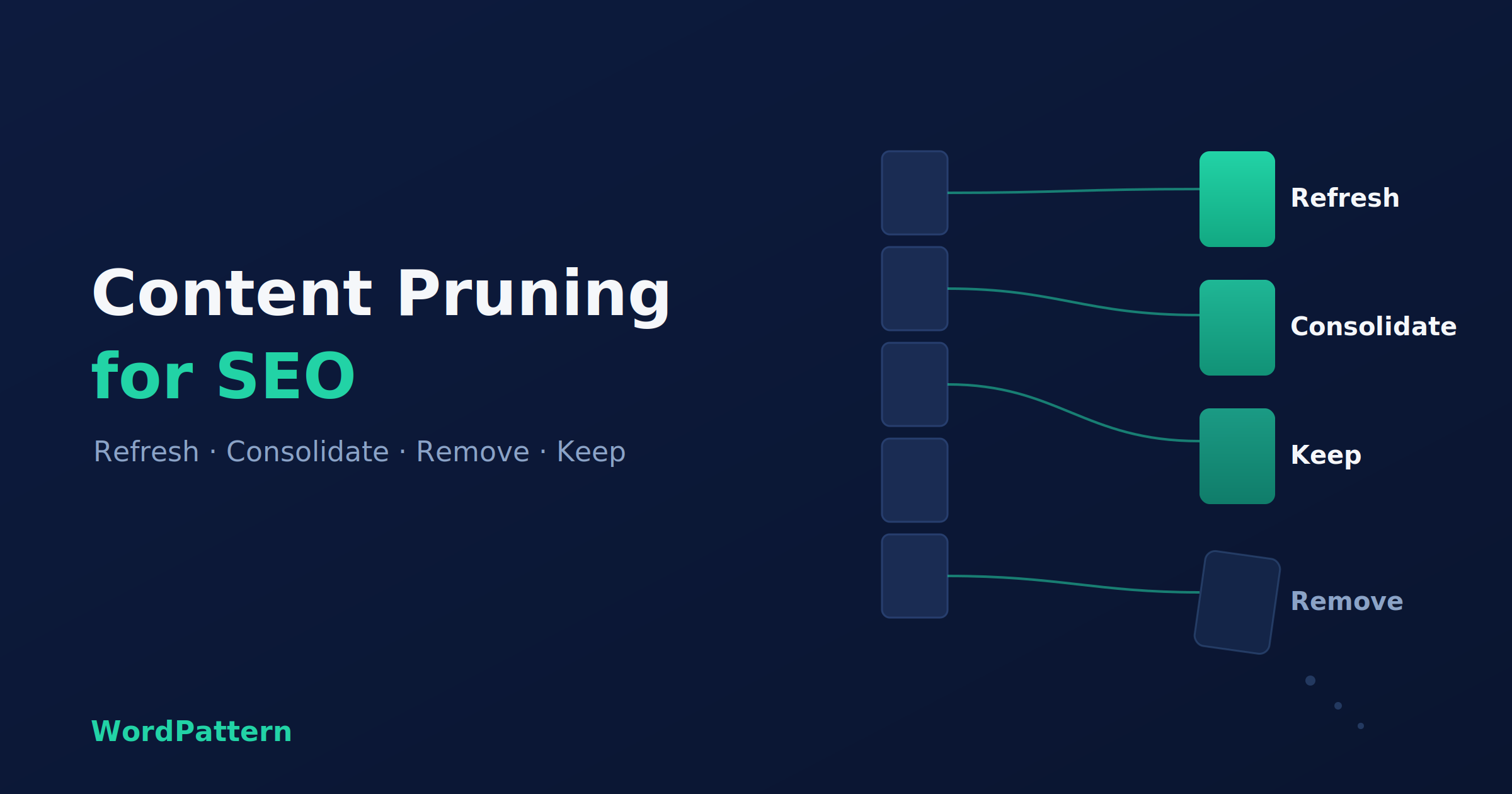
Content pruning is the fix. But here’s where nearly every guide on content pruning for SEO falls short. They all tell you the same three moves, refresh, consolidate, or remove, and then leave you to guess which one applies to which page. This one hands you a rule instead. Four signals, one decision, and a loop you can run every quarter so decay stops catching you off guard.
What content pruning actually means
Content pruning is the process of going through your published pages and deciding, for each one, whether to keep it, refresh it, fold it into another page, or delete it. That’s the whole thing. Notice what it isn’t: a delete button.
People love the gardening metaphor here, trimming dead branches so the plant grows. Fine. It’s just that the metaphor makes pruning sound like removal, and removal is only one of four options, and honestly the one you’ll reach for least.
Here are the four:
- Refresh the page so it earns its rankings back.
- Consolidate it into a stronger page that covers the same ground.
- Remove it when nothing else makes sense.
- Leave it alone, which is the right call more often than you’d think.
One more distinction worth getting straight early. Content decay is the problem: the slow slide in traffic and rankings that happens to pages as intent shifts, competitors improve, and information goes stale. Pruning is your response to it. You can’t stop decay, but you can catch it and decide what to do. And a chunk of that decay is thin content, duplicate pages, and posts that quietly compete with each other, all of which pruning is built to clean up.
Why pruning moves the needle for SEO
Three mechanisms, mostly.
First, keyword cannibalization. When you’ve got two or three posts all chasing the same query, Google doesn’t reward you for effort. It splits the signals between them, and none ranks as well as one strong page would. Fold them together and you concentrate the authority where it counts.
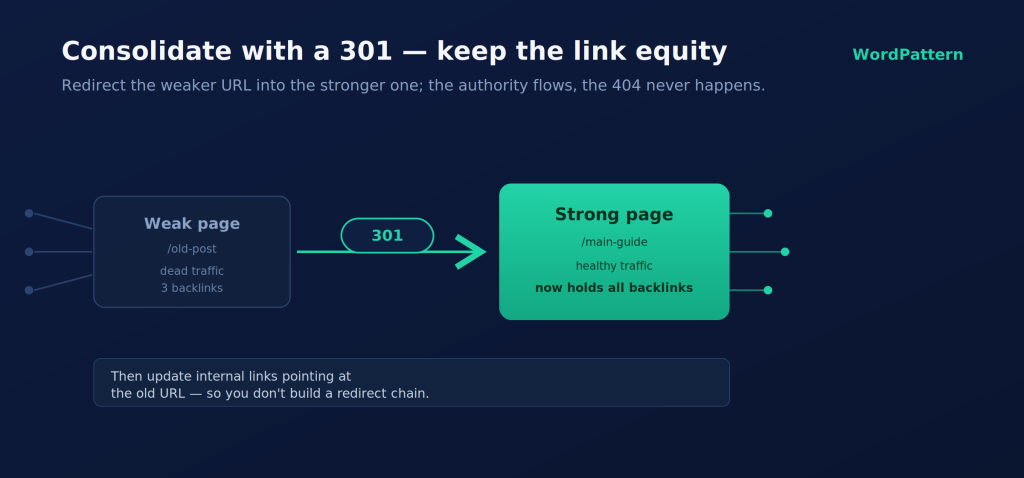
Second, link equity. Say you’ve got an old post with a handful of decent backlinks but dead traffic. Delete it and those links point at a 404. Consolidate it with a 301 redirect into a stronger page and the link value flows to a page that can actually use it.
Third, crawl budget, with a caveat. Thin and duplicate URLs eat into what Google calls perceived inventory, one of the three things (alongside popularity and staleness) that decide how much of your site Google bothers to recrawl. Google rewrote its crawl budget documentation in July 2026, reaffirming that every site starts with a conservative default limit that only scales up when demand and site health justify it. Clean out the junk and you stop wasting that budget on pages you don’t care about.
The caveat matters, though. Crawl budget only becomes a real concern at scale. Google’s John Mueller has said for years that most sites never need to think about it, and he’s right. Got a few hundred pages? Don’t prune for crawl budget. Prune for the first two reasons, plus the obvious one: fewer, better pages are a better experience for the people reading them, and Google can tell.
How to find pages worth pruning
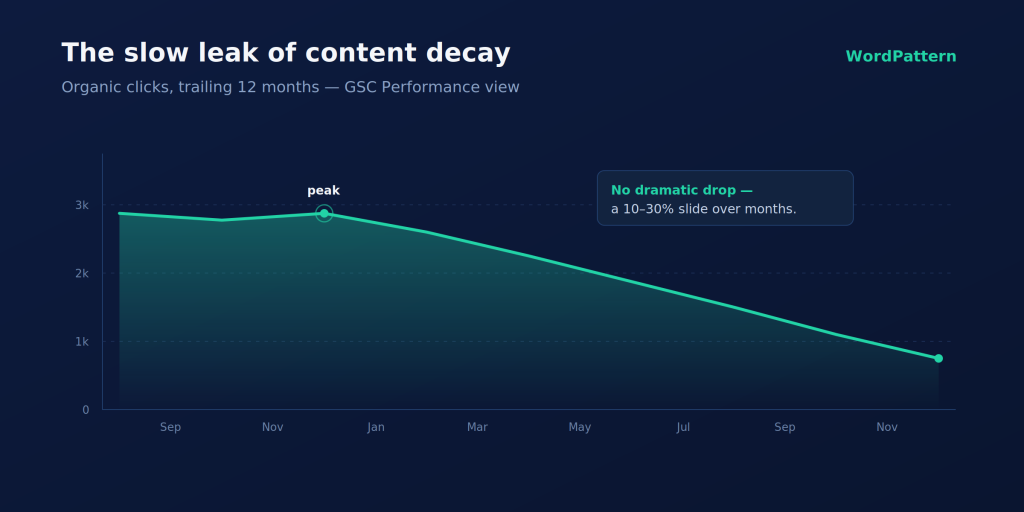
Start in Google Search Console. Open the Performance report, switch to the Pages tab, and set the date range wide, twelve months if you can. What you’re hunting for is the slow leak: pages where clicks and impressions have been drifting down for months without any single dramatic drop.
That slow part matters. A gradual decline, somewhere in the 10 to 30 percent range over several months, is content decay. A sudden 50 percent cliff overnight is something else entirely, usually a penalty or a technical break, and you’d fix that differently. Don’t confuse the two.
Cross-check in GA4. Pull the landing-page report and look at the same suspect URLs. When sessions and engagement time are both sliding on the same page, that’s decay confirmed, not a fluke month.
Then get your backlinks. Run each candidate URL through Ahrefs or Semrush and note how many links it holds. This one’s important: a page with real backlinks is not a delete candidate, no matter how sad its traffic looks. You’ll want to preserve that equity.
Put it all in one spreadsheet. One row per flagged URL, columns for the clicks trend, impressions trend, backlink count, the query it targets, whether it still matches intent, and how far along the decay is. Rather than rebuilding that export by hand every quarter (or wrangling a stack of content audit tools), a content decay detection tool like WordPattern can flag the declining URLs for you and keep the list current. Either way, the spreadsheet is what feeds the decision.
What counts as “underperforming”?
There’s no universal number. Set the threshold against your own goals. A common starting point is to flag any page down more than 20 percent in traffic year over year, but if your product pages need a thousand visits a month to matter, use that. The point is to pick a line and apply it consistently, so you’re not making a fresh judgment call on every URL.
The 4-signal decision framework
This is the part the other guides skip. The whole point of content pruning for SEO is knowing which action a page needs. Once a page is flagged, you score it on four signals, and the signals tell you what to do. No agonizing.
Signal 1 — Traffic trend. Is the page still pulling meaningful traffic while it declines, or has it flatlined near zero? Declining-but-alive is worth saving. Dead is a different conversation.
Signal 2 — Backlinks and internal value. Does it hold backlinks, or is it a hub that other pages link to? If yes, you protect that equity no matter what else you do with the content.
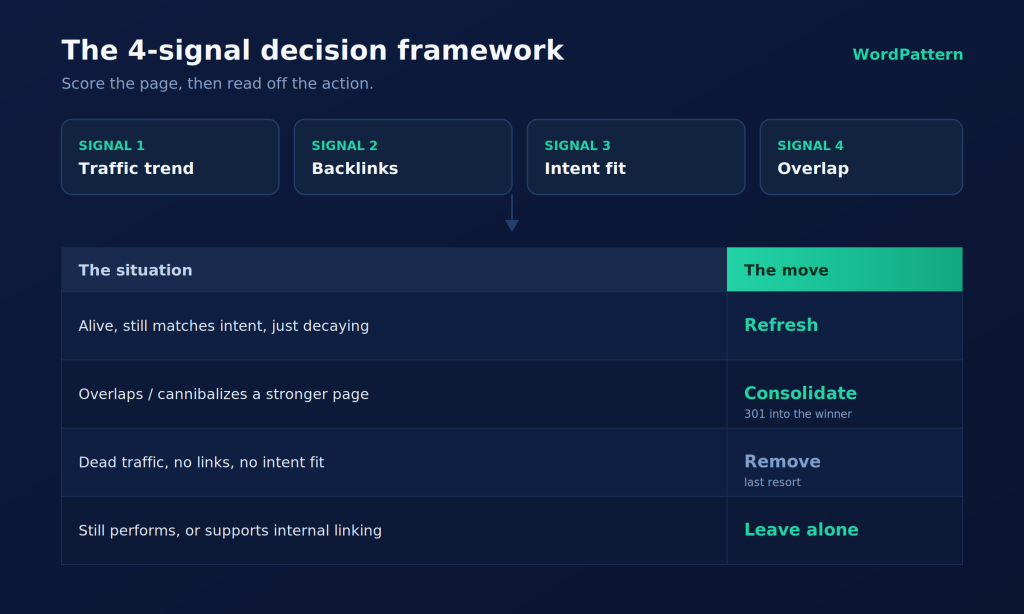
Signal 3 — Search-intent fit. Does the page still answer what people are actually searching for? Intent drifts. A post that nailed the query in 2023 can be answering a question nobody asks anymore.
Signal 4 — Overlap. Is this page decaying on its own, or is it stepping on a stronger page that covers the same topic? Overlap points you straight at consolidation.
Now read the action off the signals:
| The situation | The move |
|---|---|
| Alive, still matches intent, just decaying | Refresh |
| Overlaps or cannibalizes a stronger page | Consolidate (301 into the winner) |
| Dead traffic, no links, no intent fit | Remove |
| Still performs fine, or props up internal linking | Leave alone |
Two guardrails on top of the table. Before you delete anything, try the cheaper fixes first, better internal links, a spot in a hub page, improved navigation. A lot of “dead” content isn’t bad, it’s just buried, and nobody can find it. And treat removal as the last resort, not the reflex. Deleting is the one move that’s hard to walk back.
Executing the change without losing rankings
You’ve got your decisions. Now do them without breaking anything.
Refreshing. Keep the URL, it’s holding whatever equity the page has earned. Update the stale stats and dates, realign the content to current intent, add a few crisp direct-answer passages (more on why in a second), and fix any on-page issues while you’re in there.
Consolidating. Add a 301 redirect from the weaker URL to the stronger one. Pull the best sections out of the page you’re retiring and merge them into the survivor. Then, and people forget this constantly, update the internal links that used to point at the old URL so you’re not creating a redirect chain.
Removing. Even here, prefer a 301 to a relevant page over a hard delete. Only reach for a 410 when there’s genuinely nowhere sensible to send the traffic. Whatever you do, don’t leave orphaned 404s with inbound links pointing at them.
And keep a change log. Date every edit, redirect, and deletion. In three months when you’re measuring whether any of this worked, you’ll want to know exactly what changed and when.
Pruning in the age of AI search
Here’s what most pruning advice hasn’t caught up to yet. Your content now decays across two layers, not one. There’s the classic search results page, and there’s the AI answer layer, the AI Overviews and chatbot responses that increasingly sit between a searcher and your site.
Those AI surfaces care about freshness and extractability, whether the model can lift a clean, current answer straight off your page. A stale page can vanish from an AI summary before its blue-link ranking even wobbles.
Pruning helps here more than you’d expect. When you consolidate three overlapping posts into one, you hand the model a single authoritative source instead of three diluted ones competing for the same citation. And when you refresh, adding those direct-answer passages I mentioned earlier makes the surviving page easy to quote. Prune for people and for Google, and the AI layer tends to follow.
Make pruning a loop, not a one-off
The biggest mistake isn’t pruning wrong. It’s pruning once. Most teams pour nearly all their effort into creating new content and almost none into maintaining what they’ve already got, which is exactly how decay sneaks up on them.
So build a cadence. Once a quarter, pull the decline filter, flag every page down more than 20 percent year over year, and triage: the high-priority ones go into a refresh sprint, the rest onto a backlog. On how often to run it, large or fast-publishing sites benefit from a pass every one to three months; smaller sites can get away with once or twice a year. Running that quarterly loop is where an automated decay tracker earns its keep, since it surfaces the declining pages so you’re triaging instead of hunting.
One honest limit. Pruning cleans up your structure and concentrates what authority you have, but it doesn’t manufacture authority out of nothing. The pages that survive the cut still need links pointing at them to compete. Pruning makes your good pages findable and strong. It doesn’t replace the work of earning links to them.
If you need help collecting and prioritizing this data, compare these tools for auditing website content for different website sizes and SEO workflows.
Wrapping the loop back around
Content pruning isn’t a cleanup you do once and forget. It’s a decision plus a habit. The four signals tell you whether to refresh, consolidate, remove, or leave alone. The cadence keeps you ahead of decay instead of reacting to it. Do it well and you end up with a smaller library of stronger pages: less cannibalization, tighter authority, and content fresh enough to hold its place in Google’s results and the AI answers stacking up in front of them.
Start with the audit. Pull twelve months of GSC data, score your flagged pages against the four signals, and put the first quarterly pass on the calendar. Your two-year-old posts will thank you.
FAQs
It helps, as long as you prune by a decision rule instead of on impulse. Done this way, content pruning for SEO carries little risk. The danger isn’t pruning itself, it’s deleting the wrong page, one that still holds backlinks or quietly earns traffic. Score each page first, protect anything with link equity, and the upside (less cannibalization, tighter authority) far outweighs the downside.
Content decay is the problem: the gradual slide in a page’s traffic and rankings as intent shifts and information ages. Content pruning is what you do about it, reviewing decayed pages and deciding to refresh, consolidate, or remove them. Decay is inevitable. Pruning is the maintenance habit that keeps it from compounding.
Default to a 301 redirect pointing at the most relevant surviving page, especially if the old page has any backlinks or internal links. That preserves the link equity and keeps visitors out of a dead end. Reserve a hard delete (or a 410) for pages with no links, no traffic, and no relevant page to redirect to.
For an active blog that publishes weekly, a quarterly pass works well, with larger sites benefiting from every one to three months. Smaller sites that publish rarely can prune once or twice a year. The key is consistency: a recurring loop catches decay early, while a one-time cleanup just resets the clock.
Done right, it helps. Consolidating overlapping pages gives AI models one clear, authoritative source to cite instead of several diluted ones. And refreshing pages with current, easy-to-extract answers makes them more likely to appear in AI Overviews and chatbot responses. Pruning for quality and freshness serves the AI layer and traditional search at the same time.