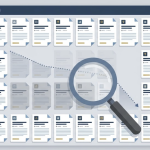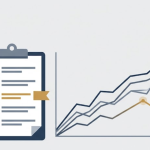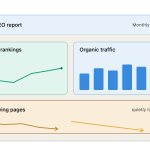


Most content teams do not have a publishing problem. They have a prioritization problem.
A website may contain hundreds of articles, landing pages and product guides but only a small percentage need immediate attention. Some pages are losing organic traffic. Others contain technical problems, outdated information, weak topic coverage or poor conversion performance.
The right content audit tool helps you determine:
- Which pages are losing search visibility
- Which URLs have technical SEO problems
- Which articles are outdated or incomplete
- Which pages should be refreshed, consolidated or removed
- Which content updates should be prioritized first
- Whether refreshed content performs better afterward
The challenge is that “content audit tool” describes several different types of software. A technical crawler, content optimization platform and content-decay monitor may all appear in the same comparison, even though they solve different problems.
This guide compares 15 content audit tools by the job each one performs best.
The Best Content Audit Tools at a Glance
If you need a quick recommendation, start here:
- Best for content-decay prioritization: WordPattern
- Best free search-performance tool: Google Search Console
- Best free engagement analysis: Google Analytics 4
- Best desktop technical crawler: Screaming Frog
- Best visual technical audit tool: Sitebulb
- Best all-in-one SEO platform: Semrush
- Best for technical audits and backlink context: Ahrefs
- Best for continuous website monitoring: Conductor Website Monitoring
- Best for measuring content-refresh results: SEOTesting
- Best for content inventory and topical strategy: MarketMuse
- Best for content optimization and monitoring: Clearscope
- Best for SERP-based content optimization: Surfer
- Best for content briefs and editorial workflows: Content Harmony
- Best for enterprise technical auditing: Lumar
- Best free page-performance check: PageSpeed Insights
Content Audit Tools Comparison
Most teams need more than one tool. Technical SEO tools tell you what exists and what’s broken. For brands that don’t manage SEO in-house, partnering with a digital marketing agency can help implement and interpret these tools as part of a broader growth strategy. For growing businesses managing multiple departments, an all-in-one business management platform like Enerpize ensures that the operational data feeding your content decisions — invoices, inventory, expenses — stays in sync across teams without adding another tool to your stack.
| Tool | Best for | Primary audit type | Free option | Starting price* |
| WordPattern | Content-decay prioritization | Search performance | Request access | Contact WordPattern |
| Google Search Console | Search visibility | Search performance | Yes | Free |
| Google Analytics 4 | Engagement and conversions | User behavior | Yes | Free standard version |
| Screaming Frog | Desktop crawling | Technical SEO | Yes, up to 500 URLs | £199/$279 per user annually |
| Sitebulb | Visual audit reports | Technical SEO | Trial | Pricing varies by Desktop or Cloud |
| Semrush | All-in-one SEO auditing | Technical, keyword and competitive | Trial | From $139 monthly |
| Ahrefs | Site health and backlink context | Technical and off-page | Limited free access | From £99 monthly in the displayed region |
| Conductor Monitoring | Continuous change monitoring | Technical and website monitoring | Trial/demo | Usage-based pricing |
| SEOTesting | Decay reports and SEO testing | Search performance | 14-day trial | See current pricing |
| MarketMuse | Content inventory and topical gaps | Content quality and strategy | Limited free tier | Paid plans require a demo |
| Clearscope | Content optimization and monitoring | Content quality | 14-day trial | From $129 monthly |
| Surfer | SERP-based optimization | On-page content | No permanent free plan | From $99 monthly |
| Content Harmony | Briefs and editorial workflows | Content research | $10 trial | From $50 monthly |
| Lumar | Large enterprise websites | Technical SEO | Demo | Custom quote |
| PageSpeed Insights | Page experience and speed | Performance | Yes | Free |
*Prices checked September 2, 2026. Pricing, limits and plan availability can change.
How We Evaluated These Tools
This comparison is based on current vendor documentation, published feature pages and available pricing information.
We evaluated each platform according to:
- The type of audit it performs
- The data it uses
- Whether it identifies problems or also prioritizes them
- Whether it supports large websites
- Whether it helps teams implement or measure improvements
- Its pricing accessibility
- Its most important limitation
WordPattern is included because it is built around content-decay monitoring and refresh prioritization. It is not presented as a replacement for technical crawlers, backlink tools or analytics platforms.
1. WordPattern: Best for Content-Decay Prioritization
WordPattern is designed for websites that already have an established content library and need to determine which pages should be refreshed first.
Rather than crawling a website primarily for broken links, missing metadata or technical errors, WordPattern starts with organic search-performance data. It helps teams identify pages experiencing meaningful decline and organize those pages into a focused refresh workflow.
This makes WordPattern particularly relevant for publishers, SaaS companies, agencies, ecommerce businesses and enterprise teams managing hundreds or thousands of existing pages.
Best for:
- Finding declining pages
- Prioritizing content-refresh opportunities
- Monitoring established content libraries
- Turning Search Console data into a manageable update queue
Strengths:
- Focused specifically on post-publication content performance
- Useful for large content archives
- Prioritizes pages instead of producing an undifferentiated URL list
- Complements technical crawlers and content-optimization platforms
Limitations:
WordPattern is not intended to replace a full technical crawler, backlink database or keyword-research suite. Teams may still need Screaming Frog, Sitebulb, Semrush or Ahrefs for those jobs.
Pricing:
Contact WordPattern or request a content audit.
Learn more about WordPattern’s Enterprise Content Audit.
2. Google Search Console: Best Free Search-Performance Audit Tool
Google Search Console should be the starting point for almost every organic content audit.
It shows how pages perform in Google Search using metrics including clicks, impressions, click-through rate and average position. Its comparison filters can help identify URLs or queries that have improved or declined over time.
Search Console can also reveal:
- Pages losing clicks or impressions
- Keywords moving onto or off page one
- Indexing problems
- Mobile and device differences
- Country-level performance
- Search appearance changes
- Queries receiving impressions but few clicks
Its biggest advantage is that the data comes directly from Google rather than a third-party traffic estimate.
Best for:
- Free organic performance analysis
- Finding declining pages and queries
- Checking indexing status
- Investigating CTR opportunities
Strengths:
- Free
- Direct Google Search data
- Page, query, device and country filters
- Useful date comparisons
- Search Console Insights highlights trending pages
Limitations:
Search Console provides data, not a complete content-audit workflow. Teams must still interpret the reports, prioritize pages and decide what should be changed. Some low-volume query data may also be withheld for privacy reasons.
Pricing:
Free.
3. Google Analytics 4: Best for Engagement and Conversion Audits
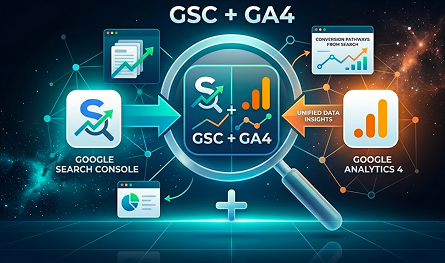
Google Analytics 4 answers a different question from Search Console.
Search Console shows what happens before someone reaches the website. GA4 helps explain what visitors do after arriving.
For a content audit, GA4 can help identify:
- Landing pages producing engaged sessions
- Content contributing to sign-ups or purchases
- Pages with weak engagement
- Organic landing-page conversion performance
- Navigation paths between articles and product pages
- Content receiving traffic but producing little business value
This distinction matters. A page can lose rankings but still produce valuable leads. Another page can attract thousands of visits without contributing to a meaningful business outcome.
Best for:
- Measuring engagement and conversions
- Evaluating content according to business value
- Understanding landing-page behavior
- Comparing traffic channels
Strengths:
- Free standard version
- Flexible reporting and exploration
- Connects content performance with conversions
- Complements Search Console data
Limitations:
GA4 is not a crawler and does not diagnose content quality or technical SEO issues. Its results also depend heavily on correct tracking and event configuration.
Pricing:
The standard GA4 service is provided without charge. Enterprise requirements may require Google Analytics 360.
4. Screaming Frog SEO Spider: Best Desktop Technical Crawler
Screaming Frog SEO Spider is one of the most established tools for technical website audits.
It crawls a website similarly to a search-engine crawler and extracts information such as:
- Page titles and meta descriptions
- H1 and H2 headings
- Canonical tags
- Status codes
- Redirects
- Broken links
- Duplicate pages
- Image information
- Robots directives
- Structured data
- Internal linking
The free version can crawl up to 500 URLs. The paid licence removes that limit and adds advanced capabilities including JavaScript rendering, custom extraction, saved crawls and Google Analytics and Search Console integrations.
Best for:
- Detailed technical audits
- Broken-link detection
- Duplicate metadata
- Redirect and canonical analysis
- Custom data extraction
Strengths:
- Highly configurable
- Excellent value for technical specialists
- Free for small crawls
- Exports detailed data
- Integrates with Google data sources
Limitations:
The interface can feel complex for beginners. Screaming Frog is also strongest at finding technical and on-page issues; it does not automatically decide which declining articles deserve editorial attention first.
Pricing:
Free for up to 500 URLs. A paid licence costs £199, $279 or €245 annually per user at the time of publication.
5. Sitebulb: Best for Visual Technical Audit Reports
Sitebulb covers many of the same technical auditing jobs as Screaming Frog but places greater emphasis on visual explanations and prioritized recommendations.
Its reports can make complicated issues easier to present to clients, developers and non-technical stakeholders.
Sitebulb analyzes areas including:
- Indexability
- Internal linking
- Site architecture
- Page speed
- Structured data
- International SEO
- JavaScript
- Accessibility
- Mobile friendliness
- Duplicate content
Sitebulb is available as both Desktop and Cloud software. The desktop product is useful for consultants and smaller teams, while Cloud is designed for collaborative and large-scale crawling.
Best for:
- Technical audits requiring clear explanations
- Agency client reporting
- Visual crawl analysis
- Teams collaborating on audit findings
Strengths:
- Prioritized recommendations
- Accessible visual reports
- Desktop and cloud options
- Hundreds of technical checks
- Free trial
Limitations:
Sitebulb remains primarily a technical audit platform. Teams will need another data source to evaluate whether an article is losing clicks or delivering conversions.
Pricing:
Sitebulb offers Desktop and Cloud plans, with pricing based on the product, users and crawl requirements. Verify the latest amount on its pricing page before publishing or purchasing.
6. Semrush: Best All-in-One SEO Audit Platform
Semrush combines technical audits, keyword research, rank tracking, competitor analysis and content optimization within one platform.
Its Site Audit identifies issues involving:
- Crawlability
- HTTPS
- Core Web Vitals
- Internal linking
- Structured data
- Duplicate content
- Metadata
- Site performance
The platform is useful when a content audit must include more than the website itself. Teams can investigate competing pages, keyword opportunities and ranking changes without moving between several separate platforms.
Higher tiers also add content optimization, historical data and keyword-cannibalization analysis.
Best for:
- Teams wanting one broad SEO platform
- Competitor and keyword research
- Technical site auditing
- Agencies managing multiple websites
Strengths:
- Broad SEO toolset
- Site health monitoring
- Keyword and competitor data
- Reporting functionality
- Integrations with Google data sources
Limitations:
The breadth can make Semrush expensive and complex for teams that only need a focused content-maintenance workflow. It surfaces many opportunities, but users must still decide what deserves attention first.
Pricing:
The SEO plan starts at $139 monthly, or approximately $117.33 per month when billed annually, at the time of publication.
7. Ahrefs: Best for Technical Audits With Backlink Context
Ahrefs Site Audit crawls a website and checks for technical and on-page SEO problems.
It groups issues into categories including:
- Indexability
- Internal links
- Redirects
- Duplicate content
- Titles and descriptions
- Structured data
- Images
- Localization
- Performance
- JavaScript and CSS
Ahrefs becomes particularly useful when an audit needs backlink and organic-visibility context. A team can investigate whether a declining page has lost links, faces stronger competitors or has technical problems within the same platform.

Best for:
- Technical audits with backlink analysis
- Competitor research
- Organic keyword investigation
- Website health monitoring
Strengths:
- Large backlink and keyword databases
- Strong technical crawler
- Clear issue grouping
- Limited free access for verified websites
- Useful competitor context
Limitations:
Ahrefs is a broad SEO research platform rather than a dedicated editorial audit workflow. Usage limits, crawl credits and add-ons should be reviewed carefully.
Pricing:
Plans start at £99 per month in the region displayed during this review. Regional currency and pricing may vary. Verified website owners can access limited free Site Audit functionality.
8. Conductor Website Monitoring: Best for Continuous Website Monitoring
Conductor Website Monitoring, powered by ContentKing technology, continuously monitors websites for changes and technical problems.
Traditional crawlers provide a snapshot. Continuous monitoring is useful when teams need to know quickly that an important page has changed, broken or become inaccessible.
It can help detect:
- Unexpected title or metadata changes
- Broken pages
- Indexability changes
- Redirect problems
- Sitemap issues
- Structured-data changes
- Issues introduced during releases
- Changes to important website sections
Best for:
- Enterprise websites
- Continuous technical monitoring
- Preventing deployment-related SEO problems
- Teams managing frequent website changes
Strengths
- Ongoing monitoring rather than occasional crawls
- Change alerts
- Large website support
- Collaboration across enterprise teams
- Prioritization based on website importance
Limitations:
Conductor is an enterprise platform with broader capabilities and a larger buying commitment. It is not the most practical option for a small website needing a one-time content audit.
Pricing:
Conductor uses flexible, usage-based pricing. Contact the company or start an available trial to obtain a quote.
9. SEOTesting: Best for Content-Decay Reports and Measuring Refreshes
SEOTesting uses Google Search Console data to help teams identify declining pages and measure SEO changes.
Its Content Decay Report compares page performance over time and highlights pages that have lost clicks or impressions. Users can investigate the queries responsible for the decline and create SEO tests to measure results after updating a page.
This makes SEOTesting useful when the objective is not merely finding an opportunity but demonstrating whether the subsequent change produced an improvement.
Best for:
- Finding pages losing organic clicks
- Comparing historical GSC data
- Running time-based SEO tests
- Measuring content-refresh outcomes
- Reporting SEO results to stakeholders
Strengths:
- Direct Search Console integration
- Dedicated Content Decay Report
- Query-level comparisons
- Refresh measurement
- Useful agency reporting
Limitations:
SEOTesting does not replace a full technical crawler or content editor. It is primarily an analysis and experimentation layer built around Search Console data.
Pricing:
A 14-day trial is available. Check the current pricing page for the latest plan costs and website limits.
10. MarketMuse: Best for Content Inventory and Topical Strategy
MarketMuse evaluates a website’s content inventory, topic coverage and potential opportunities.
Its Inventory provides a structured view of published pages and associated topics. MarketMuse applies proprietary metrics intended to help teams determine:
- Where the website already has topical authority
- Which content may be improved
- Where topic coverage is weak
- Which opportunities may be easier for the domain
- What related subtopics should be covered
- Which pages may deserve priority
Best for:
- Large-scale content strategy
- Topic-gap analysis
- Content inventory management
- Prioritizing content according to topical authority
- Building content briefs
Strengths:
- Site-level content inventory
- Personalized difficulty metrics
- Topic modeling
- Content briefs and strategy documents
- Useful for publishers and agencies
Limitations:
MarketMuse is focused on content strategy and topical quality rather than technical SEO. Its more valuable inventory capabilities sit in paid plans, and teams may still need Search Console, analytics and a crawler.
Pricing:
A limited free plan includes 10 queries per month. Paid Optimize, Research and Strategy tiers require contacting MarketMuse for current pricing.
11. Clearscope: Best for Content Optimization and Monitoring
Clearscope combines content optimization, topic research and content monitoring.
Its optimization workflow grades content according to topic coverage and provides related terms, questions and competitive recommendations. Its Content Inventory can help teams monitor existing pages and surface opportunities such as striking-distance keywords or content decay.
Best for:
- Improving existing articles
- Content quality reviews
- Topic coverage
- Monitoring priority pages
- Collaborative editorial teams
Strengths:
- Clear content-grading interface
- Content inventory monitoring
- Topic and search-intent recommendations
- Google Docs and WordPress integrations
- Unlimited users and projects on listed plans
Limitations:
Clearscope is not a comprehensive technical crawler. Its recommendations should guide expert editing rather than become a requirement to insert every suggested term.
Pricing:
Essentials starts at $129 per month. Business starts at $399 per month, while Enterprise pricing is custom. A 14-day trial is available.
12. Surfer: Best for SERP-Based Content Optimization
Surfer analyzes top-ranking search results and produces recommendations for optimizing a page around a target query.
Its Content Audit and Audit tools can help teams:
- Monitor selected pages
- Identify ranking drops
- Find quick-win refresh opportunities
- Compare a page against current search competitors
- Review topic and term coverage
- Check internal links
- Improve content structure
Best for:
- Refreshing individual articles
- SERP-based content recommendations
- Writers and SEO editors
- Monitoring a defined group of pages

Strengths:
- Accessible content editor
- SERP-based recommendations
- Content Audit monitoring
- Ranking-drop alerts
- WordPress and Google Docs integrations
Limitations:
Surfer’s suggestions are based heavily on patterns across ranking pages. A high score does not guarantee better rankings, and editors should avoid adding terms or sections that do not improve the reader’s experience.
Pricing:
Essential starts at $99 monthly or $79 per month when billed annually. Scale starts at $219 monthly or $175 per month annually.
13. Content Harmony: Best for Content Briefs and Editorial Workflows
Content Harmony is primarily a content research and briefing platform.
Each Content Workflow combines a keyword report, content brief and content grader. This makes it useful after an audit has identified a page that needs to be rewritten or expanded.
Content Harmony can help editorial teams examine:
- Search intent
- Competing page formats
- Important subtopics
- Questions searchers ask
- Internal and external link opportunities
- Content structure
- Draft topic coverage
Best for:
- Building refresh briefs
- Managing writers and editors
- Standardizing content research
- Agencies producing content at scale
Strengths:
- Structured content workflows
- Unlimited users and projects
- Brief and grader in one process
- Rollover credits
- Useful for distributed editorial teams
Limitations:
Content Harmony does not automatically crawl an entire website or identify which pages are losing traffic. It is most valuable after another tool has identified the page that should be updated.
Pricing:
Plans start at $50 per month for five workflows. A $10 trial includes 10 Content Workflow credits and does not automatically renew.
14. Lumar: Best for Enterprise Technical Auditing
Lumar is a cloud-based website intelligence platform designed for large and technically complex websites.
Its Analyze product can audit large numbers of pages and report on technical SEO, accessibility, site speed and customizable website metrics. Monitor and Protect capabilities help teams track changes and prevent technical problems from reaching production.
Best for:
- Enterprise and international websites
- Large-scale technical audits
- Website migrations
- Technical monitoring
- Cross-functional SEO and development teams
Strengths:
- Designed for large websites
- Hundreds of built-in reports
- Custom data extraction
- Technical monitoring and QA
- Collaboration and prioritization features
- Custom analytics
Limitations:
Lumar may be excessive for a small blog or a team primarily concerned with editorial updates. Pricing is not self-service and must be discussed with the company.
Pricing:
Custom quote based on the required platform features, scale and use cases.
15. PageSpeed Insights: Best Free Page-Performance Check
PageSpeed Insights is a free Google tool for evaluating the performance of individual pages.
It combines performance analysis with optimization recommendations and can help identify problems involving:
- Slow loading
- Large images
- Render-blocking resources
- JavaScript execution
- Layout movement
- Main-content loading
- Mobile performance
- Accessibility and best-practice checks
Best for:
- Free performance checks
- Investigating slow landing pages
- Comparing mobile and desktop performance
- Giving developers a list of optimization opportunities
Strengths:
- Free
- Simple URL-based analysis
- Mobile and desktop results
- Actionable performance recommendations
- Available through an API
Limitations:
PageSpeed Insights analyzes one URL at a time unless its API is incorporated into a larger process. It does not evaluate topic quality, conversions, backlinks or historical search decline.
Pricing:
Free.
Content Audit Tools vs Technical SEO Audit Tools
A content audit and a technical SEO audit overlap, but they are not identical.
A technical audit asks:
- Can search engines crawl the page?
- Is the page indexable?
- Are titles and canonicals implemented correctly?
- Are internal links working?
- Is the page fast and accessible?
A content audit asks:
- Is the page still accurate and useful?
- Is organic performance improving or declining?
- Does the page match current search intent?
- Does it cover the topic sufficiently?
- Does it contribute to conversions?
- Should it be refreshed, merged, redirected or removed?
A comprehensive audit needs both perspectives.
Technical crawlers such as Screaming Frog, Sitebulb, Semrush, Ahrefs and Lumar identify implementation problems.
Search-performance tools such as Search Console, WordPattern and SEOTesting help identify which pages are losing visibility.
Content platforms such as MarketMuse, Clearscope, Surfer and Content Harmony help plan the editorial update.
What Is the Best Content Audit Tool?
There is no single best option for every audit because the tools answer different questions.
Choose according to the job:
Choose Google Search Console if:
You need a free source of real Google search-performance data.
Choose Screaming Frog or Sitebulb if:
You need to find technical and on-page problems across the website.
Choose Semrush or Ahrefs if:
You want technical auditing, competitor research, keywords and broader SEO data in one subscription.
Choose WordPattern or SEOTesting if:
You need to identify declining pages and prioritize content refreshes using Search Console data.
Choose MarketMuse, Clearscope or Surfer if:
You already know which pages need updating and want help improving topic coverage.
Choose Conductor or Lumar if:
You manage a large enterprise website requiring continuous monitoring, governance and technical scale.
A Practical Content Audit Tool Stack
Most teams do not need all 15 platforms.
A practical stack can contain three layers.
Layer 1: Search and Business Performance
Use Google Search Console and GA4 to determine which pages receive visibility, traffic, engagement and conversions.
Layer 2: Technical Health
Use Screaming Frog or Sitebulb to find crawling, indexing, metadata, linking and performance problems.
Layer 3: Prioritization and Refreshing
Use WordPattern or SEOTesting to find declining pages. Then use a platform such as Clearscope, Surfer, MarketMuse or Content Harmony to plan the update when deeper content research is required.
This combination prevents a common audit mistake: producing a spreadsheet containing hundreds of problems without deciding which ones matter most.
How to Conduct a Content Audit
1. Build the Content Inventory
Export indexable URLs from your CMS, sitemap or crawler.
Include:
- URL
- Page title
- Content type
- Publication date
- Last meaningful update
- Organic clicks
- Impressions
- Average position
- Engagement
- Conversions
- Backlinks
- Technical status
2. Compare Search Performance
Use Search Console to compare recent performance against a previous equivalent period.
Review clicks, impressions, CTR and position. Account for seasonality before categorizing a page as declining.
3. Add Business-Value Data
Use GA4 or your analytics platform to identify pages contributing to leads, sign-ups, purchases or other important actions.
Do not remove a page simply because it receives low traffic if it plays an important conversion or customer-support role.
4. Run a Technical Crawl
Use a crawler to identify:
- Non-indexable pages
- Broken links
- Redirect chains
- Duplicate titles
- Missing descriptions
- Canonical conflicts
- Orphan pages
- Thin pages
- Slow pages
- Internal-linking problems
5. Assign an Action
Each audited URL should receive one primary action:
- Keep
- Refresh
- Expand
- Consolidate
- Redirect
- Remove
- Investigate
Avoid giving every underperforming page the same “refresh” recommendation.
6. Prioritize the Work
Prioritize according to:
- Size of the decline
- Previous traffic
- Conversion value
- Ranking position
- Strategic relevance
- Effort required
- Technical risk
- Likelihood of recovery
7. Measure the Result
Record the publication date and compare the page’s performance after enough search data has accumulated.
Do not judge a refresh using rankings alone. Monitor clicks, impressions, conversions and engagement.
Common Content-Audit Mistakes
Auditing Everything With One Metric
Traffic alone does not show whether a page supports conversions, customers or brand authority.
Treating Every Decline as Content Decay
Traffic can decline because of seasonality, tracking changes, indexing problems, SERP features or demand changes. Investigate before rewriting.
Updating the Date Without Updating the Content
Changing “2025” to “2026” is not a meaningful refresh. Update the evidence, recommendations, examples and substance.
Rewriting Pages That Only Need a Technical Fix
A page blocked from indexing does not need another 1,000 words. It needs its indexing problem corrected.
Producing an Audit Without Priorities
A 5,000-row spreadsheet is not a strategy. Every issue needs impact, effort, ownership and a next action.
Deleting Pages Without Checking Links or Conversions
Before deleting or redirecting a URL, review its backlinks, conversions, internal links and role in the customer journey.
Frequently Asked Questions
A content audit tool helps evaluate the quality, performance or technical condition of published website content. Different tools examine search traffic, technical problems, engagement, backlinks, topic coverage or content decay.
Google Search Console is the best free starting point for organic search performance. Combine it with GA4 for engagement and conversions, PageSpeed Insights for page performance and the free Screaming Frog version for websites with fewer than 500 URLs.
Run a comprehensive audit at least once or twice a year. Monitor important landing pages and declining content more frequently—monthly or quarterly depending on the value and volatility of the topic.
A content audit evaluates usefulness, accuracy, performance and strategic value. An SEO audit also includes technical issues such as crawling, indexing, structured data, redirects, canonicals and site architecture.
Search Console can reveal declining clicks, impressions, CTR and positions. It cannot confirm why the decline happened or identify which paragraphs are outdated. That requires further analysis.
No. A low-traffic page may support conversions, customers, internal links or an important topic cluster. Review its purpose, backlinks and business value before removing it.
Most teams need two to four complementary tools: analytics, Search Console, a technical crawler and a prioritization or content-optimization platform.
Final Verdict
The best content audit tool depends on the problem you are trying to solve.
Use Search Console and GA4 to understand performance. Use Screaming Frog or Sitebulb to find technical problems. For needing broader competitor and backlink context use Semrush or Ahrefs and use MarketMuse, Clearscope or Surfer for content-quality recommendations.
If the main challenge is deciding which existing pages should be refreshed first, use a content-decay and prioritization workflow rather than relying only on a technical audit.
WordPattern is designed for that part of the process: identifying declining pages, organizing refresh opportunities and helping teams focus on the content that needs attention.
Explore the WordPattern Enterprise Content Audit or request a content audit to begin.