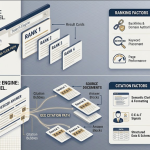


Most SEO tools are good at telling you what’s broken. Far fewer fix it. An AI SEO agent closes that gap. It watches your search performance data, spots pages that are slipping, and drafts or applies the update. Then it keeps watching.
This guide covers what an AI SEO agent is and how it differs from the SEO tools you already pay for. It then walks through five agents that actually update content, how to pick one, and where human editors still need to stay in the loop.
What Is an AI SEO Agent?
An AI SEO agent is software that monitors search performance, decides what needs fixing, and carries out or drafts the fix. That might mean rewriting a stale section, updating metadata or adding internal links, instead of stopping at a report. A traditional SEO tool tells you what’s wrong. An agent takes the next step.
The label gets stretched, so it helps to know what separates a real agent from a tool with an AI button. A real agent:
- connects to live data such as Google Search Console and current SERPs;
- runs a multi-step workflow (detect, diagnose, draft) without a new prompt at every step;
- pushes changes into your CMS or staging environment; and
- lets you set approval rules before anything goes live.
A content decay agent is the clearest example. It spots clusters of declining URLs and reads early signals across keyword groups. It maps semantic gaps with NLP, drafts refreshed sections aligned to current intent, and flags them for review inside the CMS.
AI SEO Agents vs SEO Tools: 7 Differences
| Difference | Traditional SEO tools | AI SEO agents |
|---|---|---|
| 1. Monitoring | Scheduled crawls and manual checks | Continuous monitoring of rankings, impressions and SERP changes |
| 2. Content decay detection | Flag decline after traffic has dropped | Watch early signals (impression erosion, falling CTR, SERP feature displacement) before rankings slide far |
| 3. Optimization | A person reads the report and makes the edits | Generate refresh drafts, metadata and internal-link suggestions for review |
| 4. Keyword strategy | Track ranking position and search volume | Map intent, entities and semantic gaps with NLP |
| 5. Data use | Historical dashboards: what happened | Trend and pattern analysis: what’s likely to decline next |
| 6. Workflow integration | Separate platforms and exported spreadsheets | Connect to GSC, analytics and the CMS, and push drafts to staging |
| 7. Scale and response time | Monitoring scales, but execution stays manual, so fixes take days or weeks | Detection and drafting scale with page count, without team size having to |
The pattern across all seven rows is the same. Tools diagnose; agents act on the diagnosis. That doesn’t make tools obsolete. You still need a crawler and a rank tracker. But on a site with hundreds of pages, the bottleneck is rarely finding problems. It’s getting through them.
Why SEO Audits Alone No Longer Work
Audit fatigue. Most SEO tools are built to find problems, not fix them. The result is a loop of reports and to-do lists that never fully clears.
Faster decay. SERPs change, intent shifts and competitors update their pages. A page that ranked well last quarter can slip without anyone noticing until traffic drops.
The execution gap. A team with hundreds of pages and a couple of editors can’t act on every recommendation. The backlog grows faster than it shrinks.
AI SEO agents target that third problem directly: the gap between knowing what to fix and fixing it.
How We Ranked These AI SEO Agents?
In evaluating how we ranked these AI SEO agents for content update automation, the key focus was on the tool’s ability to actually update pages automatically.
1. Content Update Automation
We assessed various aspects such as automated rewriting, on-page optimization, metadata updates, and internal linking improvements. These factors play a crucial role in ensuring that the content remains fresh and relevant for search engines, which ultimately boosts SEO performance. Businesses investing in professional real estate seo services can benefit significantly from regularly updated content, improved search visibility, and stronger online authority.When AI SEO agents continuously update pages and align them with evolving search trends, they also help maintain consistency across off-page signals such as Profile Creation Sites, business profile listings, and other authority-building platforms. This in turn strengthens a website’s credibility and long-term rankings.
2. SEO Intelligence Layer
Moving on to the next criterion, the SEO intelligence layer of a true AI agent was thoroughly examined. This layer’s capabilities include SERP analysis, keyword opportunity detection, competitor comparison, and content gap identification. These features are essential for optimizing content based on the latest SEO trends and ensuring that the website ranks higher in search engine results pages.
3. CMS & Workflow Integration
Another important aspect we considered was CMS & workflow integration. Automation is only effective if it seamlessly integrates with content management systems like WordPress, offers CMS publishing automation, API access, and workflow triggers. This is especially valuable for an ai automation agency in USA managing multiple client websites and SEO workflows. A WordPress developer can help ensure these integrations work efficiently, while tools such as WhatsApp automation software can support automated communication and workflow updates. These integrations streamline the content update process and make it more efficient for users.
4. Scalability for Large Content Libraries
Lastly, scalability for large content libraries was a crucial factor in our evaluation. For teams managing hundreds or thousands of URLs, features like bulk page optimization, batch updates, programmatic content refresh, and monitoring capabilities are essential. These ensure that the AI SEO agent can handle large volumes of content effectively and efficiently.
By analyzing these key criteria, we were able to rank the top AI SEO agents that not only conduct SEO audits. But also automatically update content to enhance website performance in 2026 and beyond.
The 5 Best AI SEO Agents That Actually Update Content
#1 – Alli AI (Best for Automated On-Page SEO Updates)
When it comes to automated on-page SEO updates, Alli AI stands out as the top choice among its competitors. The key automation features offered by Alli AI make it a preferred option for those looking to streamline their SEO efforts effectively.
Why It Ranks #1:
One of the standout features of Alli AI is its capability to handle bulk on-page edits seamlessly. This feature is particularly beneficial for agencies managing multiple sites or large content libraries, allowing them to make widespread changes quickly and efficiently.
In addition to bulk on-page edits, Alli AI also excels in automated schema insertion. By automatically inserting schema markup, Alli AI ensures that your website’s content is correctly structured for search engines, ultimately improving your site’s visibility and ranking potential.
Another significant feature that sets Alli AI apart is its ability to make live content changes. This real-time updating feature ensures that your website’s content remains fresh and relevant, giving you an edge in the ever-changing landscape of SEO.
Ideal For:
Moreover, Alli AI offers automated A/B testing for SEO updates, enabling you to test different strategies and optimize your on-page elements for better performance. This feature is particularly useful for technical SEO teams, including those working on platforms like Recruit CRM, looking to fine-tune their optimization efforts continuously.
Pros and Cons:
While Alli AI boasts several pros, such as real-time updates, scalable optimization, and a robust automation engine, it does come with a few cons. Setting up automation rules can be time-consuming initially, and the enterprise pricing tiers may not be suitable for smaller businesses.
ROI Outlook:
Overall, Alli AI promises a high ROI for those looking to scale their on-page optimization efforts efficiently. Its advanced automation features and ability to handle complex SEO tasks make it an ideal choice for agencies, large content libraries, and technical SEO teams aiming to stay ahead in the competitive digital landscape.
#2 – Surfer AI (Best for Automated Content Rewrites)

Surfer AI, ranked as #2 among AI SEO agents, is a powerhouse for automated content rewrites. Its key features cater to the dynamic world of search engine optimization, making it a top choice for content teams looking to stay ahead in the SEO game. This tool shines in its ability to generate and update optimized content effortlessly, thanks to its AI-driven technology.
Key Features:
One of the standout capabilities of Surfer AI is its AI-powered article rewriting feature. This functionality allows users to transform existing content into fresh, SEO-friendly pieces with just a few clicks. By integrating keyword optimization seamlessly into the rewriting process, the tool ensures that the content resonates well with search engine algorithms.
Moreover, Surfer AI’s SERP-driven content scoring system sets it apart from traditional content tools. By analyzing search engine result pages (SERP), the tool provides valuable insights and recommendations to enhance the content’s visibility and engagement. This feature is a game-changer for businesses looking to boost their online presence effectively.
Ideal For:
For SEO content teams, affiliate sites, and blog-heavy businesses, Surfer AI proves to be an invaluable asset. Its user-friendly interface streamlines the content creation process, making it easy for users to navigate and leverage its full potential. Additionally, the tool’s fast content refresh workflow ensures that the content stays current and relevant in the ever-evolving digital landscape.
Pros and Cons:
While Surfer AI excels in providing strong SERP-based recommendations and a seamless content refresh workflow, it does have its limitations. The tool’s technical SEO automation capabilities are somewhat limited, requiring users to complement it with additional tools for a comprehensive SEO strategy. Furthermore, Surfer AI is best utilized in conjunction with existing publishing workflows to maximize its effectiveness.
ROI Outlook:
In terms of ROI outlook, Surfer AI offers a strong return on investment for businesses that rely heavily on content-driven SEO strategies. By automating content updates and optimizations, the tool enables organizations to stay competitive in the search engine rankings and drive organic traffic to their websites effectively.
#3 – MarketMuse (Best for Strategic AI Content Optimization)
MarketMuse is positioned as the top choice for strategic AI content optimization. Leveraging deep topic modeling, MarketMuse excels in updating and expanding content intelligently.
Key Features:
One of MarketMuse’s standout features is its AI content refresh recommendations, ensuring that your content stays relevant and up-to-date. Additionally, its capability for topic authority analysis enables users to establish themselves as experts in their respective fields.
Moreover, MarketMuse provides automated optimization briefs, streamlining the content optimization process and saving valuable time for users. By detecting competitive content gaps, MarketMuse equips users with the insights needed to stay ahead of the competition.
Ideal For:
The platform’s deep topical intelligence empowers users to create highly relevant and engaging content, while its strong prioritization framework ensures that efforts are focused on the most impactful areas. Furthermore, MarketMuse offers high-quality optimization guidance, making it a valuable tool for content creators and SEO teams alike, particularly for large editorial teams, authority-building sites, and enterprise SEO teams.
Pros and Cons:
While MarketMuse boasts a range of benefits, such as its advanced capabilities and strategic approach to content optimization, it is essential to note that it comes with premium pricing. Additionally, users should be prepared for the editorial review process that is required to fully utilize the platform’s features.
ROI Outlook:
In terms of ROI outlook, MarketMuse offers excellent returns for those implementing topic cluster strategies. By leveraging MarketMuse’s AI-powered tools and insights, users can expect to see significant improvements in their content performance and SEO rankings.
#4 – Frase AI (Best for Fast Content Refresh Workflows)
When it comes to fast content refresh workflows, #4 – Frase AI stands out as an exceptional tool in the realm of automated content updating. Combining SERP analysis with AI rewriting tools, Frase offers a range of capabilities that cater to the needs of agencies, small SEO teams, and fast-moving marketing teams alike.
Key Features:
One of the key features that make Frase AI a preferred choice is its automated content rewriting functionality. This feature allows users to quickly refresh and update existing content with minimal manual intervention, saving valuable time and effort in the process. Additionally, Frase AI excels in question optimization, helping to enhance the overall quality and relevance of the content for improved SEO performance.
Another standout capability of Frase AI is its focus on intent-driven updates. By understanding user intent and tailoring content accordingly, Frase ensures that the updated content aligns closely with what users are searching for, thereby increasing the chances of improved rankings and engagement.
Ideal For:
Moreover, Frase AI offers outline regeneration, making it easier for users to restructure and refine their content for better readability and SEO optimization. This feature is particularly beneficial for teams managing multiple client blogs, as it streamlines the content creation and updating process.
Pros:
While Frase AI boasts several pros, such as quick refresh cycles, a simple workflow, and access to robust SERP data, it does have some limitations.
Cons:
For instance, it may lack the level of enterprise automation required by larger organizations, and its technical SEO automation capabilities may be somewhat limited compared to other tools in the market.
ROI Outlook:
In terms of ROI outlook, Frase AI is a solid choice for teams that prioritize speed and efficiency in their content refresh workflows. By leveraging its AI-powered features and intuitive interface, teams can achieve significant time savings and productivity gains, ultimately leading to a strong return on investment.
Overall, #4 – Frase AI emerges as a valuable asset for content creators and SEO professionals looking to automate and streamline their content update processes effectively.
#5 – Jasper + SEO Integrations (Best AI Writing Agent for Content Updates)
Jasper is a top choice when it comes to AI writing agents for content updates, particularly when combined with SEO integrations.
Key Features:
By harnessing SEO data tools, Jasper transforms into a content execution engine with a wide array of capabilities. These include automated rewriting, precise tone and brand voice control, content expansion, and streamlined workflow templates.
Ideal For:
Marketing teams, brands looking to refresh their blog libraries, and editorial teams find Jasper to be an ideal solution for their content needs. Its powerful AI writing engine, scalable workflows, and robust collaboration tools make it a valuable asset in the world of content creation.
Pros:
While Jasper boasts numerous advantages, such as high-quality content generation and efficient workflows, it’s important to note that it requires seamless integration with SEO data.
Cons:
Additionally, Jasper is not designed to function as a monitoring platform, which could be considered a limitation for some users.
ROI Outlook:
In terms of ROI outlook, Jasper promises a high productivity return on investment for content refresh workflows. Its ability to enhance efficiency and accuracy in content updates can significantly boost overall productivity, making it a valuable tool for content creators and marketers alike.
Bonus AI SEO Agents
Below are some notable mentions:
- BrightEdge – Best Enterprise AI SEO Suite
- ContentKing – Best for Real-Time Decay Detection
- Semrush AI Workflows – Best All-Around Option
- Clearscope – Best for Intent-Driven Updates
How to Choose an AI SEO Agent
Plenty of tools call themselves AI SEO agents, and many are chat interfaces sitting on top of an API. Put each shortlisted tool through these three questions in order. Treat them as a filter: a tool that fails one doesn’t go on to the next.
1. Does it work from live data? Ask the vendor whether the agent pulls Google Search Console and current SERP data before it suggests or drafts anything. An agent working only from model training data is guessing at what ranks today. If there’s no live data connection, take it off the shortlist. Decay-focused agents such as WordPattern start from GSC for exactly this reason.
2. How does it reach your CMS, and where does approval sit? Ask for a live demo of an update pushed to your staging environment, not a screenshot. If any step needs copy-paste, you’re looking at a writing assistant, not an agent. Then check that approval rules can be set by page type. Commercial pages, comparisons and your highest-traffic URLs should always need a human sign-off.
3. What does it cost once you count editor time? Work it out as (editor hours saved per month × hourly rate) − monthly subscription. A cheap tool that adds QA hours costs more than a pricier one that removes them. Run the numbers on your actual volume before you sign.
Red flags:
- A thin API wrapper with no SEO-specific logic.
- No clear answer on how your data is handled and secured.
- Output that reads like every other AI blog; test it on your own pages first.
- Detection with no refresh, or refresh with no detection. Either way, the tool does half the job.
Quick picks
- Fully automated on-page updates at scale: Alli AI
- SERP-driven content rewrites: Surfer AI
- Topic authority and prioritization: MarketMuse
- Fast refresh cycles for small teams: Frase
- Brand-voice rewriting paired with SEO data: Jasper
Where AI SEO Agents Stop and Human Editors Take Over
Agents are strongest at detection, scale and first drafts. Editors still own three things:
- Context. Adjusting tone for an audience, interpreting complex topics correctly and knowing when a section needs cutting rather than expanding.
- Experience and credibility. First-hand insight is the “Experience” in E-E-A-T, and no model can supply it.
- Priorities. Deciding which pages matter to the business and how each one should be positioned.
| AI SEO agents | Human editors | |
|---|---|---|
| Speed | Near real-time detection and drafting | Limited by manual effort |
| Scale | Thousands of pages | Limited by hours in the week |
| Quality | Solid, but can drift generic | Contextual and specific |
| Risk | Factual errors or flat rewrites if unreviewed | Lower error risk, slower output |
The setup that works is a hybrid, not a replacement. The agent detects the decline, diagnoses the section and drafts the update. The editor checks facts, adds experience and approves. The agent then monitors whether the change moved rankings.
Final Verdict
The difference between an AI SEO agent and an SEO tool comes down to one step: execution. Tools find problems. Agents find them, draft the fix and push it toward publishing.
For a small site, a good tool and a disciplined editor may be enough. Once you’re maintaining hundreds of pages, the backlog outgrows manual workflows. That’s where an agent earns its cost, as long as it runs on live data, reaches your CMS and keeps a human approval step for the pages that matter most.
In this fast-paced digital era, having AI SEO agents that can perform tasks autonomously is a game-changer. The ability to optimize content, refresh it continuously, and adapt to SERP changes in real-time is what will set successful websites apart from the rest.
FAQ
An AI SEO agent is a tool that not only analyzes SEO performance but also automatically implements optimizations such as content updates, metadata changes, and internal linking.
Traditional tools provide audits and recommendations. AI SEO agents execute changes automatically or assist with rapid implementation.
Yes. Many AI SEO tools can rewrite, expand, and optimize content based on SERP data and keyword insights.
Yes, but best practice is to review AI-generated updates before publishing to ensure accuracy and brand alignment.
No. They automate execution and analysis, but strategy, editorial oversight, and prioritization still require human expertise.